Microsoft Word add-in for law firms

Legal document formatting, fixed properly.

Formidify finds the formatting problems that creep into contracts — section numbers typed by hand, mixed fonts, cross-references that point nowhere — and fixes them in one pass. You review every change before it is applied, and a single Ctrl+Z undoes the lot.

Coming to Microsoft AppSource. Currently in private beta.

The text of your document never leaves your machine. Formidify's formatting checks run locally, inside Word. If you turn on the optional AI analysis, it receives only redacted structural tokens — style names, section numbers, font names — never your sentences or clauses. Read exactly how it works

What Formidify does

Four fixes that save hours of manual cleanup

Rules-based checks do the heavy lifting. Nothing is changed until you say so.

Review & repair

Fix formatting issues in one pass

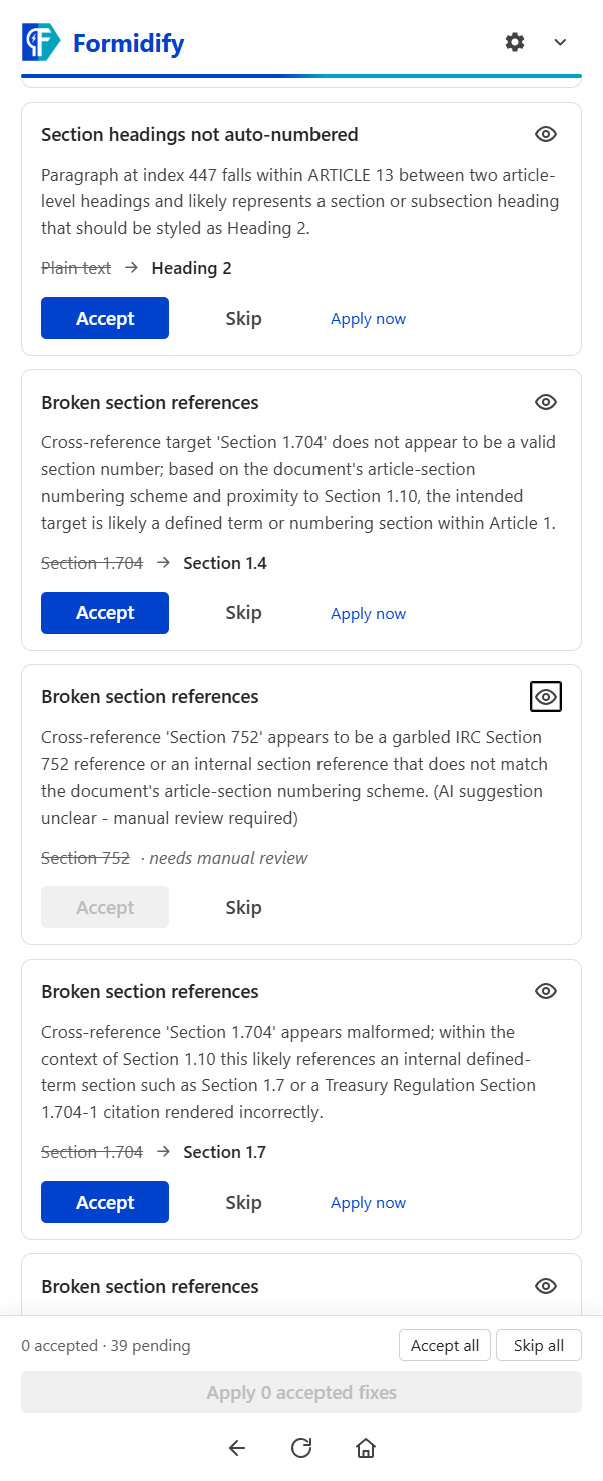
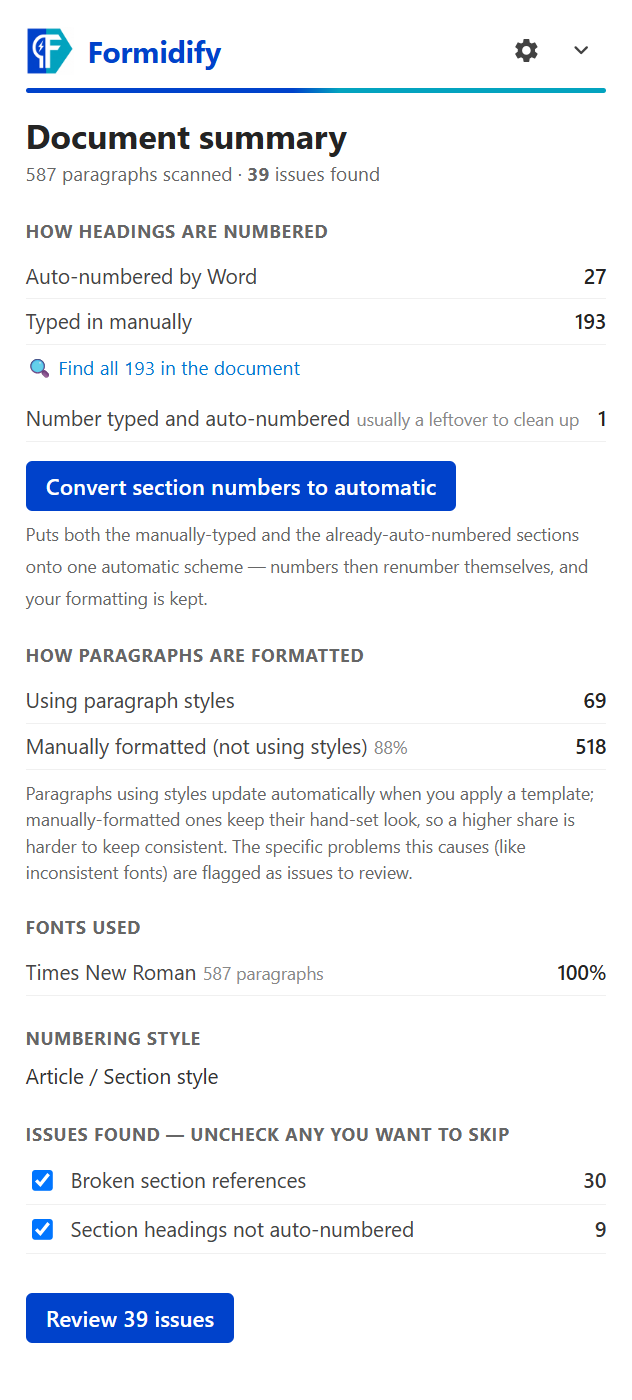
Formidify scans your document and shows a plain-English summary: how sections are numbered, which paragraphs use styles, and which fonts appear where. Every issue becomes a card showing what's there now and what Formidify suggests.

  • Accept or skip each fix individually — nothing is automatic
  • Jump straight to the paragraph in your document from any card
  • All accepted fixes apply in a single step: one Ctrl+Z undoes everything
Numbering conversion

Turn typed numbers into real Word numbering

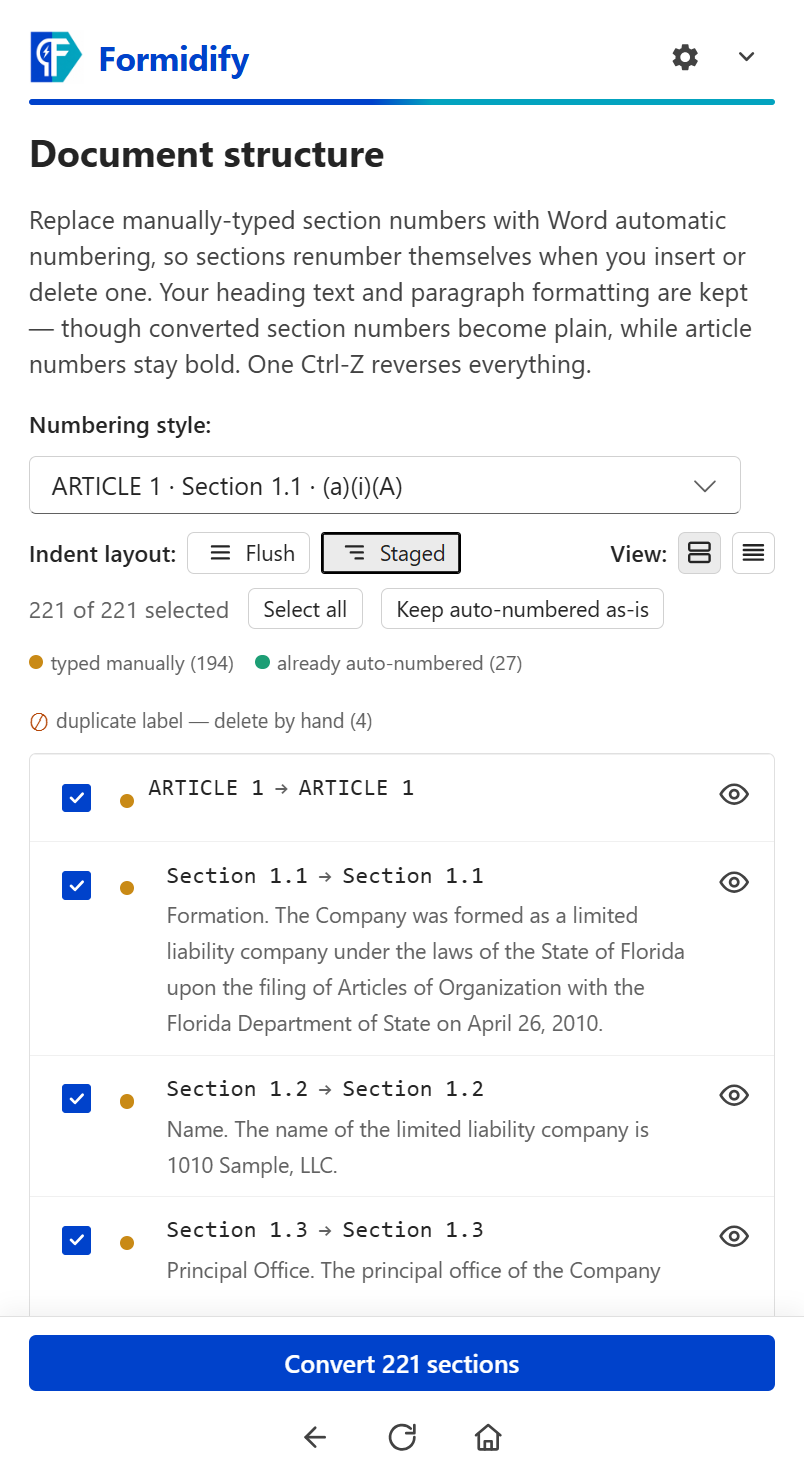
A hand-typed "Section 3.2" goes stale the moment someone inserts a new section above it. Formidify converts typed section numbering into Word's own automatic numbering — so when the document changes, the numbers renumber themselves.

  • Pick the numbering style that matches your house format — 1.1.1, 1(a)(i), Article / Section, and more
  • Preview exactly how every heading will read before anything is touched
  • Fully opt-in, and reversible with a single undo
Cross-reference checking

Catch references that point nowhere

"…as defined in Section 7.4" — but there is no Section 7.4. Formidify checks every internal cross-reference against the sections that actually exist in the document and flags the ones that don't match up.

  • Broken references are detected automatically
  • With AI analysis enabled, Formidify also suggests the section you probably meant
  • You confirm every suggestion before it's applied
Privacy by design

Built for privileged documents

Formidify was designed around one rule: the raw text of your document never leaves your machine. The formatting checks run locally inside Word — no part of your document is uploaded to run them.

  • Optional AI analysis sees only redacted structural tokens, never your text
  • Usage statistics are counts and categories only — every field is published in the privacy policy
  • Works in offline mode — rules-based checks need no connection

Read the full privacy policy draft →

How it works

Analyze → Review → Apply

Three steps, and you stay in control at every one of them.

Analyze

Open your contract and click Analyze in the Formidify pane. It reads the document inside Word and builds a summary — numbering scheme, style usage, fonts, and the issues it found. You choose which categories to review.

Review

Each finding is a card: what the problem is, what's there now, and what Formidify suggests. Jump to the exact paragraph in the document, then accept or skip each fix. Nothing has changed yet.

Apply

All accepted fixes apply in one operation — a single Word undo step. If a fix can't be applied (for example, the document is protected), Formidify tells you which one and why.

One Ctrl+Z reverses the entire batch. Then click Scan again to re-check the updated document.

Watch it work

The whole story in 90 seconds

One hand-numbered contract, fixed for good — insert, delete, renumber, undo.

See it in Word

Formidify lives in the Word task pane

No separate app, no uploads — it works on the document you already have open.

Formidify document summary screen in the Word task pane
The summary after a scan: numbering scheme, style usage, fonts, and issue counts.
Formidify issue review cards with Accept and Skip buttons
Each issue in plain English, with Current vs. Suggested and Accept / Skip buttons.
Formidify numbering conversion preview showing the chosen numbering style
Pick a numbering style and preview exactly how every heading will read before applying.

Join the Formidify beta

Formidify is in private beta with a small group of firms while we prepare for Microsoft AppSource. If broken numbering and messy formatting are costing your team time, we'd like to hear from you.

Request beta access Or email us at support@formidify.ai — tell us a little about your firm and the documents you work with.